Before the event
Import Participants from CSV
Upload a CSV with name and partner columns, review the mapping, and confirm the import.
Have the participant list as a spreadsheet (Google Sheets, Excel, or a plain CSV file), and the CSV import is the cleanest way to get them in.
File format
A header row with at least firstName and lastName. Optional
columns the app will pick up:
email: the dancer's email (not used in scoring)participantNumber: a specific competitor number (otherwise the app assigns the next free one)partnerName: the partner's name, for couplespairRole:LeaderorFollower- a column per competition the dancer is entered in, for example Individual
| firstName | lastName | participantNumber | partnerName | pairRole | Individual | |
|---|---|---|---|---|---|---|
| Ada | Alder | ada@example.org | 1 | Amara Alder | Leader | Y |
| Amara | Alder | amara@example.org | 2 | Ada Alder | Follower | Y |
Steps
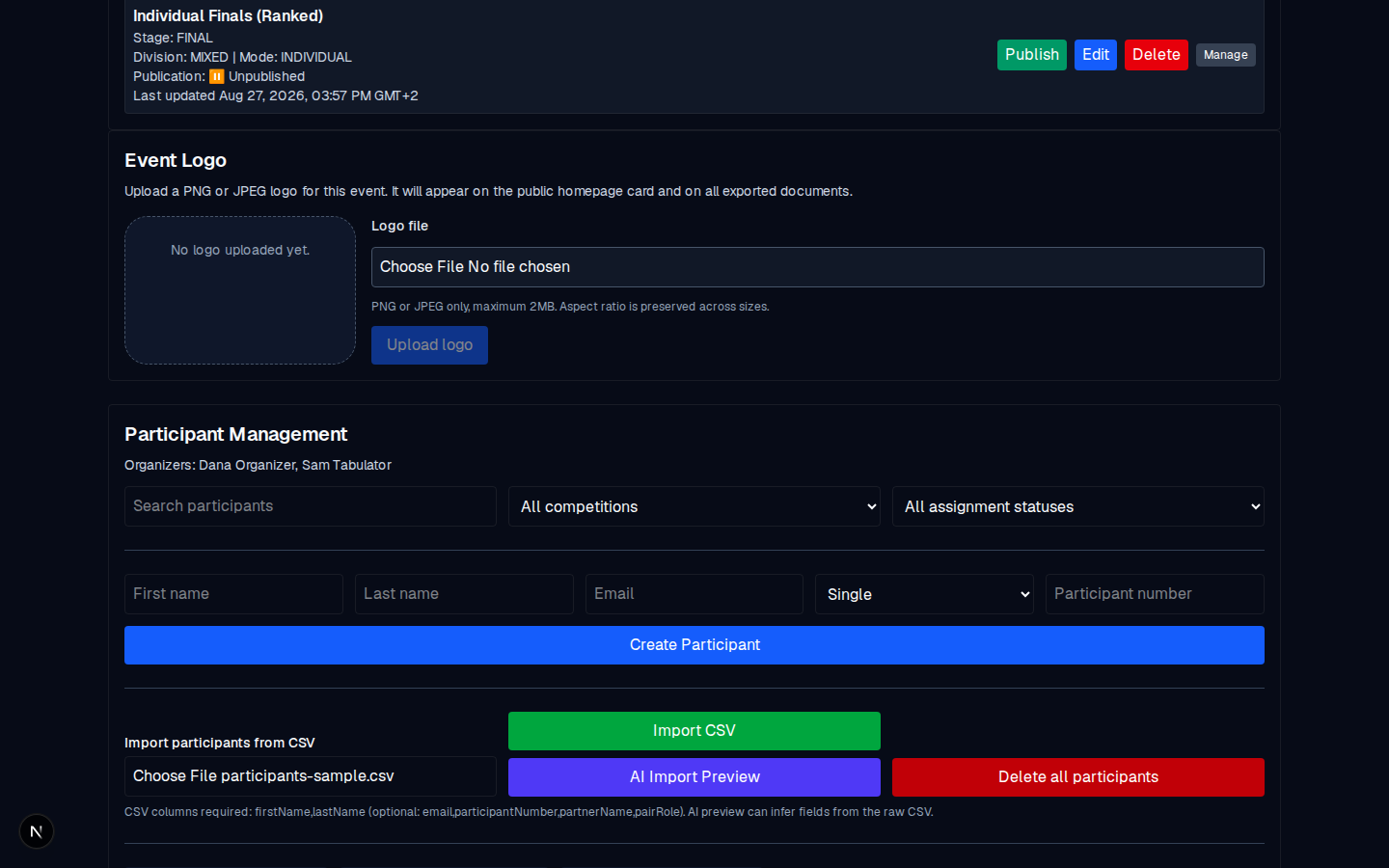
- Open the event: Manage event → → Participant Management.
- Choose the CSV file under the Import participants from CSV label.
- Click Import CSV. The app parses the header and shows the detected columns with an inferred mapping; correct any mapping here if needed.
- Review the result. The message that appears tells you how many were imported, how many were assigned to competitions, and whether any rows were skipped.
What can go wrong
| Error | Why | Fix |
|---|---|---|
| CSV is empty | The file has no rows. | Add rows and re-import. |
| CSV must include header and at least one row | The header is missing. | Add a firstName,lastName,... header row. |
| CSV must include either first/last name headers or a FullName header | The app cannot find the name columns. | Rename the columns to firstName / lastName. |
| Participant number already in use | Two rows use the same number in this event-year. | Change one of the numbers. |
| First name and last name are required | A row is missing a name. | Fill the name in and re-import. |
Verify
After a successful import, the summary line reads Imported N (with any assignments and skips listed), and the list below it has the new rows. Spot-check a few names and competitor numbers against your source list.