Judge Score Entry
The judge's flow: open the page, vote or rank, autosave, review, and submit, on desktop or phone.
This is the page judges live on during a competition. It is built for quick one-handed use on a phone, with a clean audit trail.
Step 1: enter the token
The judge lands on /enter-scores with either a scanned QR code (the token is pre-filled) or an empty form. The form has:
- Judge Token: 8 characters, shown grouped as
XXXX XXXX. - An Enter button.
- A note under the field: 8 characters. Paste your token, we'll auto-format it. Ambiguous letters (I, L, O, U) are removed.
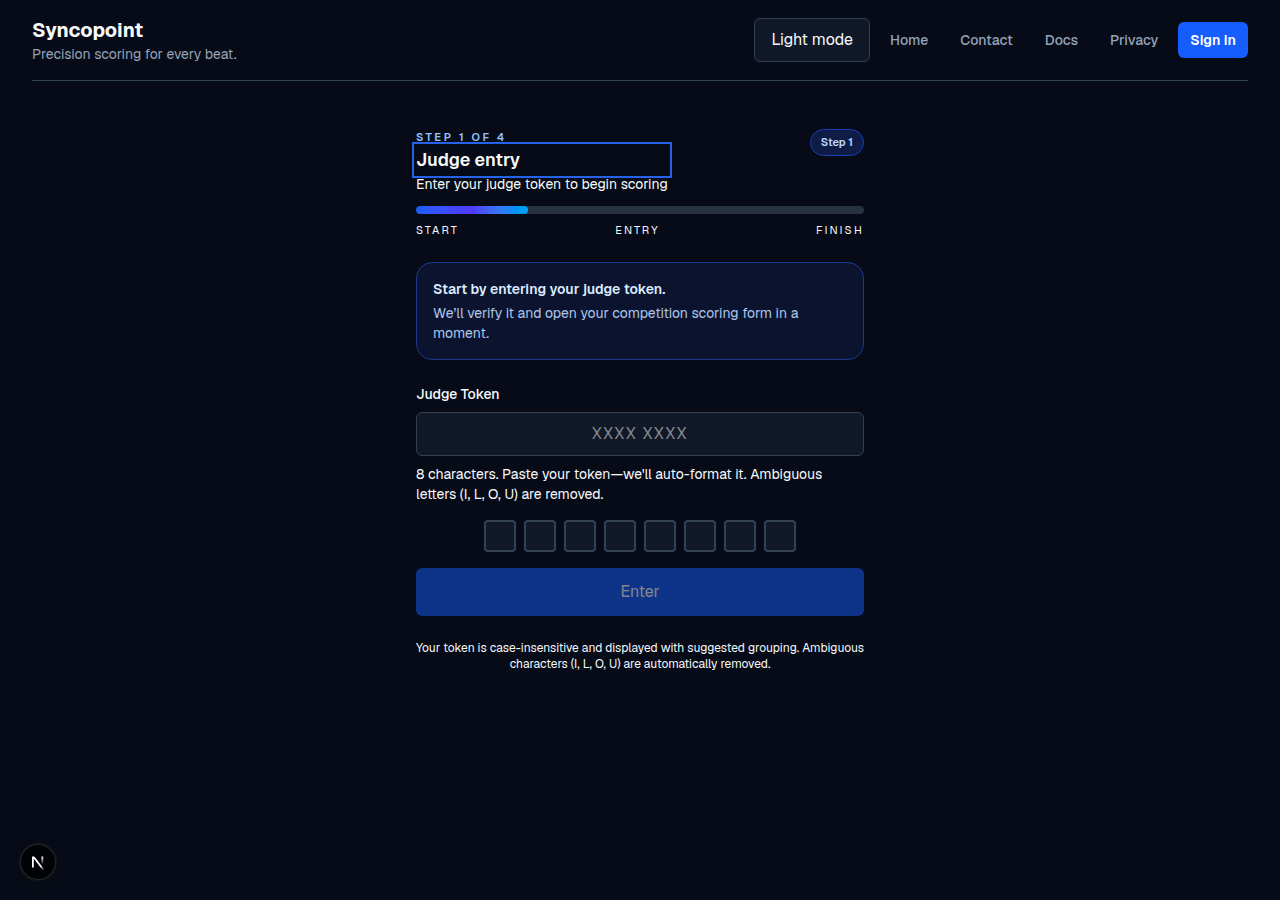
If the token is wrong, the app shows Token rejected: … and, after too many wrong attempts in a row, a short cooldown (for example, Too many failed attempts. Please wait 30 seconds before trying again.).
Step 2: vote or rank
Once authenticated, the judge sees the scoring grid for that competition:
- Prelim (Regular, Ranked, or Points): for each participant (or couple row), the judge marks YES or a MAYBE slot. The remaining counters show how many of each are left (for example, 1 left).
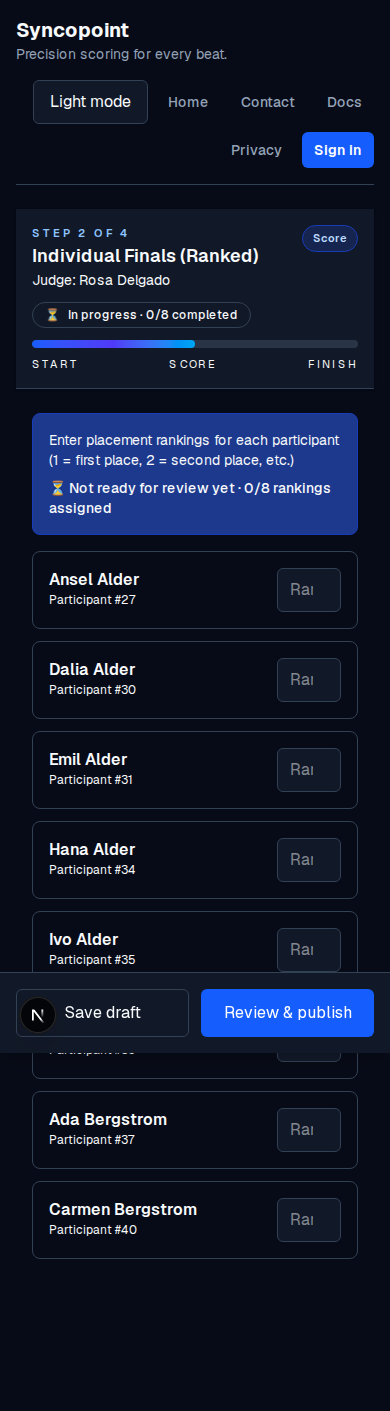
- Final: the judge picks a placement (1st, 2nd, 3rd, and so on) for each finalist.
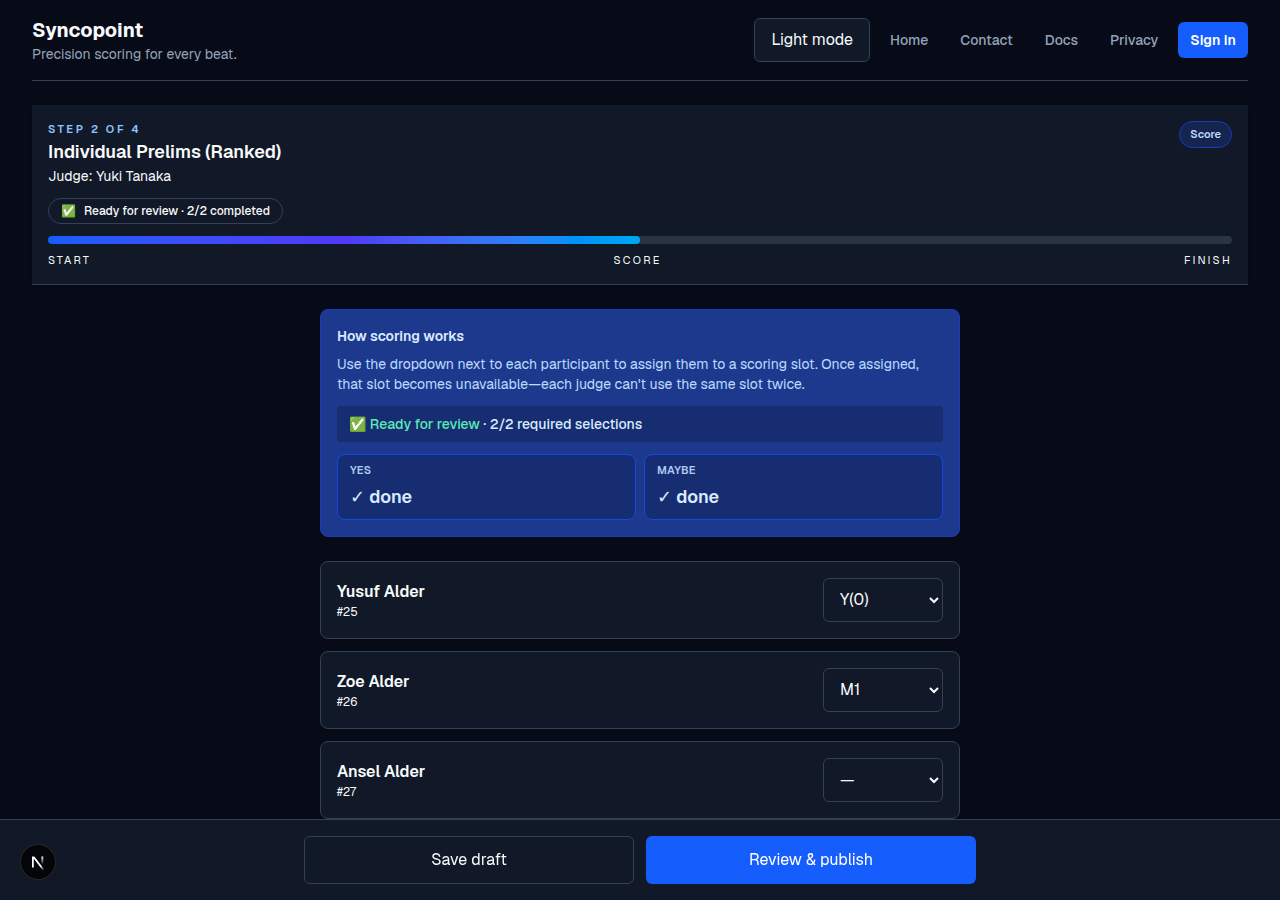
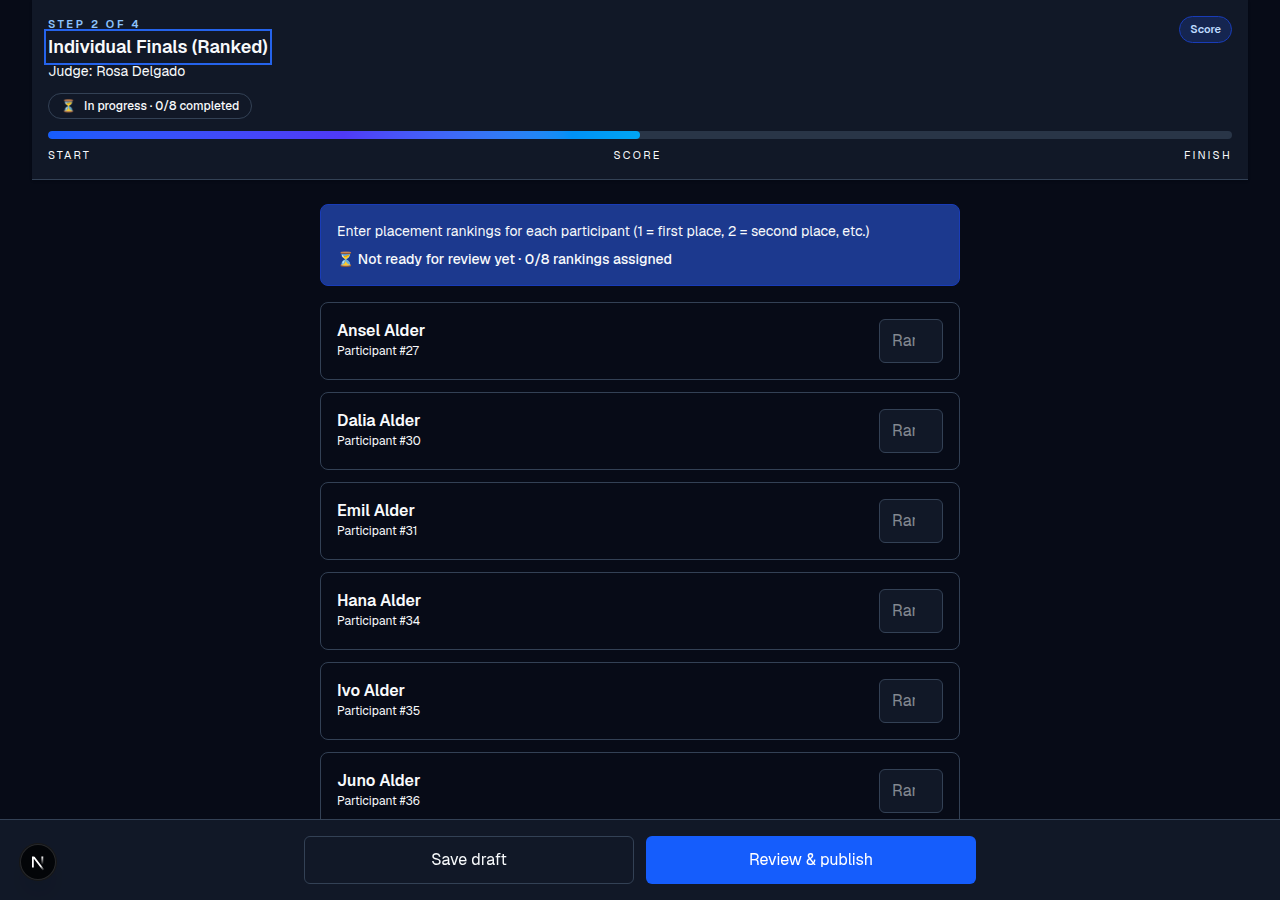
The form autosaves a draft each time the judge changes a vote (after a short pause), so the judge can safely leave and come back; the draft restores from the last saved version.
Step 3: review and submit
The sticky footer has two buttons:
- Save draft: persists the draft now. It autosaves anyway, so this is a manual trigger.
- Review & publish: validates the form and opens the confirmation step. If there are validation errors, they appear as a Please review these preliminary scoring issues list (or ... final ranking issues for finals) and the form blocks the review.
The confirmation screen
The confirmation shows the judge's entered votes sorted by competitor number, an Important Notice that the scores are final, and a checkbox: I'm ready to publish these scores / I have reviewed my entries and confirm they are accurate and final. The Publish button only enables after that box is checked.
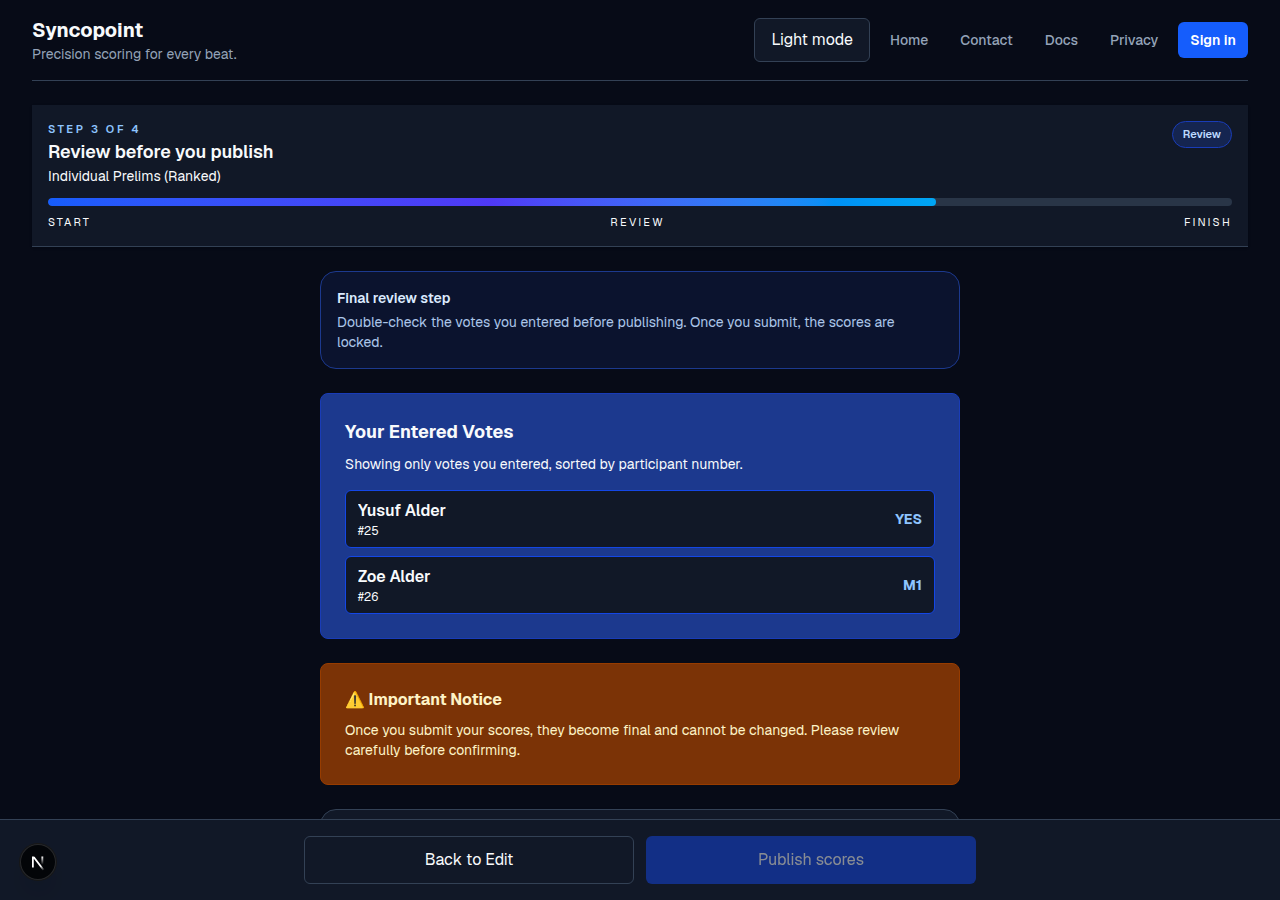
When the judge clicks Publish, the app:
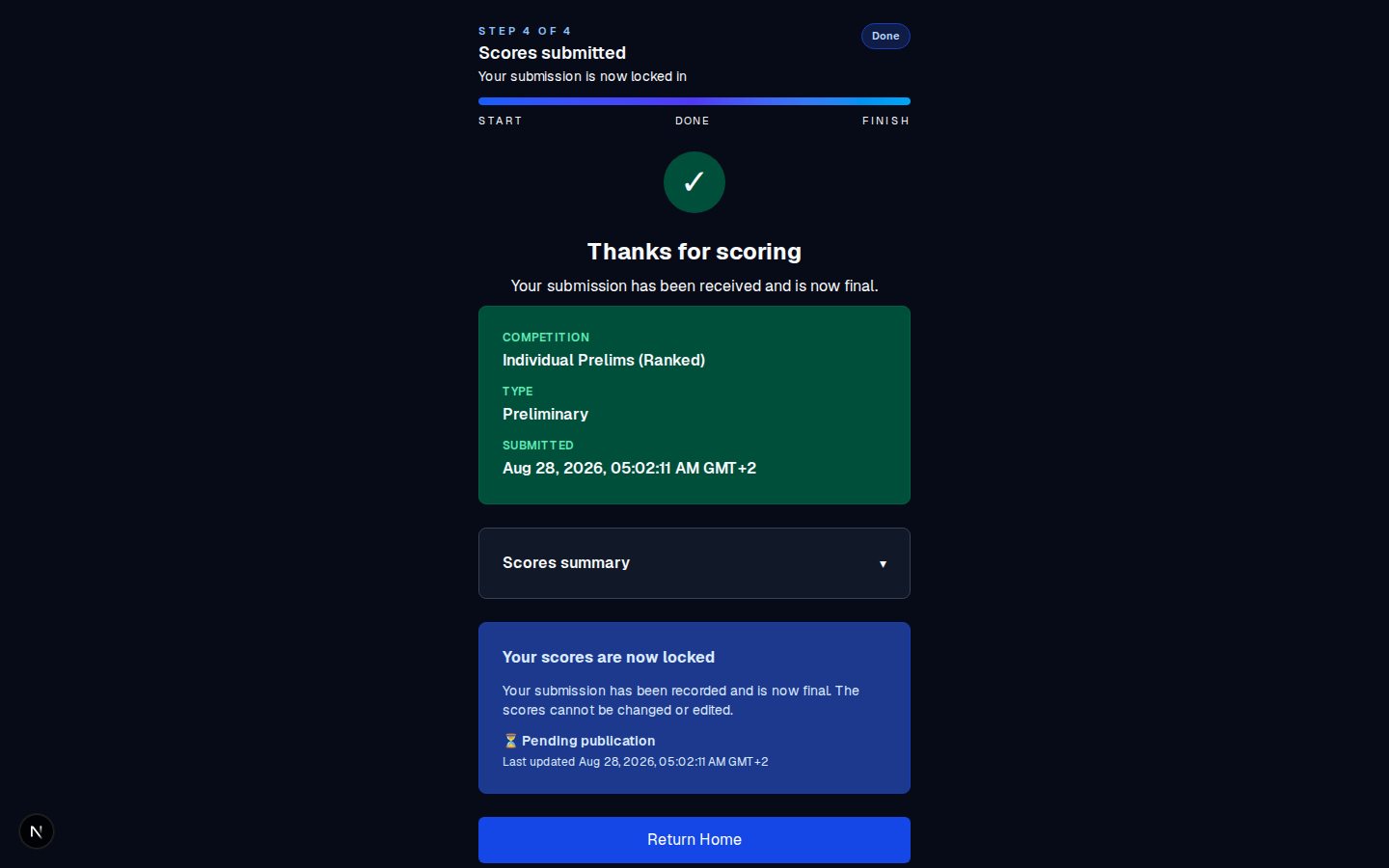
- locks the submission (the scores cannot be changed),
- ends the judge's session,
- triggers a recalculation in the background, and
- shows the Scores submitted page with the competition name, type, submission time, and a note that the scores are now locked.
If a judge made a mistake
The judge cannot undo it; the submission is final. The recovery path is to issue a fresh token for that judge (a step your account administrator can do for you), have the judge re-enter their scores, and re-run the ranking. See Judge errors and recovery and Data corrections.
The one step you may need to request
The re-entry path needs a fresh judge token. Issuing it is the single action Syncopoint reserves for the account administrator, so the audit record stays trustworthy. It does not stop you from coordinating the re-entry (asking the judge to re-type their votes). You only cannot issue that fresh token yourself.
On a phone
- The page works in portrait; the sticky footer stays at the bottom and the grid scrolls.
- The yes/maybe buttons are large enough to tap accurately.
- The draft autosave means the judge can safely put the phone down between dances.
- No keyboard required; everything is clickable.

Common mistakes
- Clicking Review & publish before finishing. The app will tell the judge if a required vote is missing.
- Assuming they can "undo" a submitted score. They cannot.
- Using the wrong competition's token. Tokens are per-competition; a token from Mixed Prelims will not open Individual Finals.