Running the event
Judge Errors and Recovery
Token rejected, form not loading, draft lost, double submission: what each error means and how to recover.
The organizer's quick reference for the judge-facing errors most likely on event day.
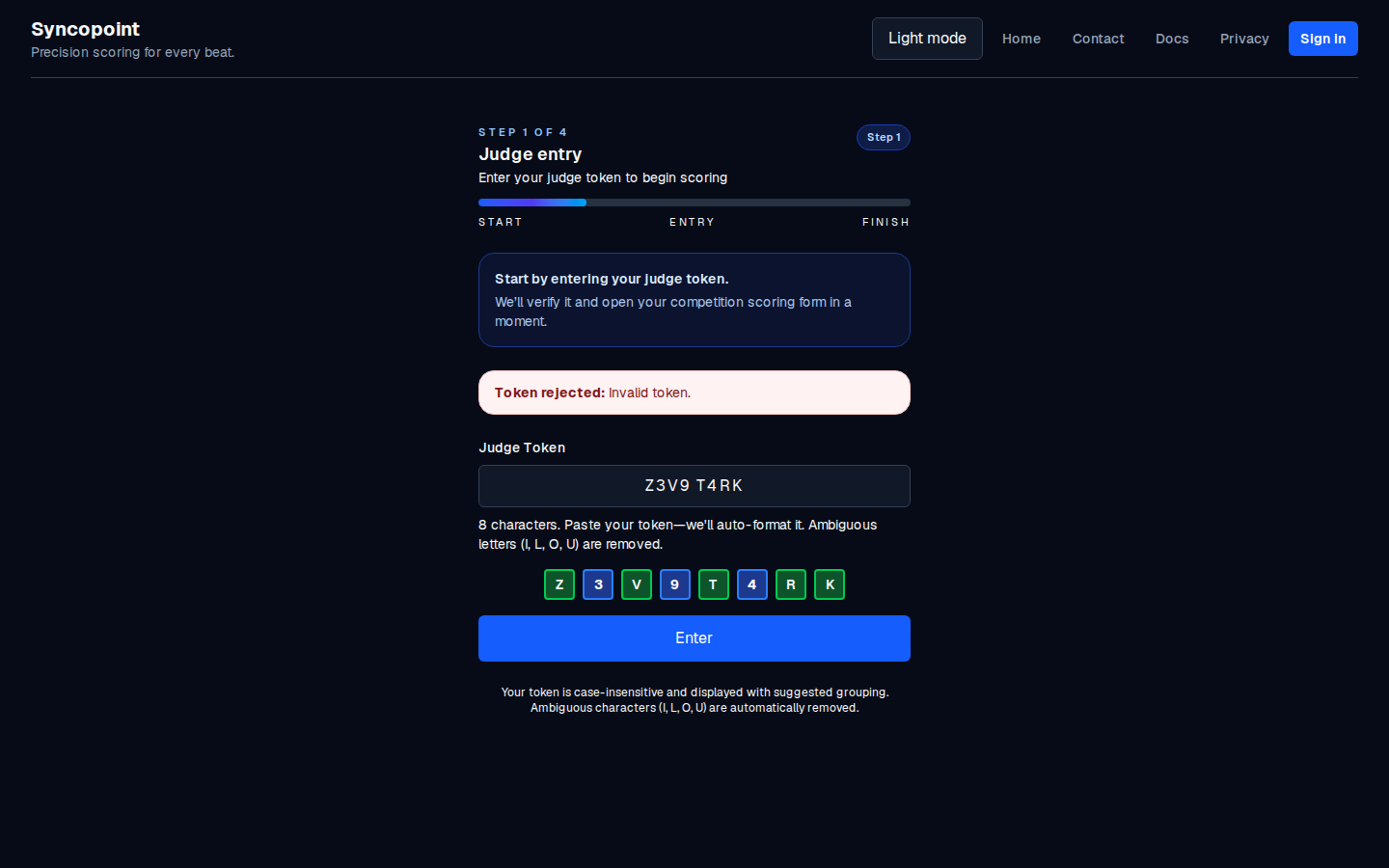
Token rejected: Invalid or expired judge token
- Cause: the judge typed the token wrong, the token was regenerated (invalidating the old one), or the token is for a different competition.
- Fix: have the judge re-read the QR, or type the 8 characters printed under their name on the scoresheet PDF. Make sure it is the token for this competition.
Token rejected: Too many failed attempts
- Cause: several wrong tokens in a row (by the judge or anyone else). The app imposes a short cooldown.
- Fix: wait for the countdown (shown by the app) and try again with the correct token. If it keeps happening, the token in the PDF may be the wrong one; ask your account administrator to issue a fresh one.
Session expired (back to the token page)
- Cause: the judge's session timed out (for example, the phone locked and the browser dropped the session).
- Fix: the judge re-enters the token on the same device. The draft (if any) restores automatically.
- This is a security behavior, not an error. Re-entry is the normal response.
Saving your draft / Draft saved / Save issue
- Saving your draft: normal, the autosave is in progress.
- Draft saved: normal, the autosave completed.
- Save issue: the autosave failed, usually a network problem. The judge should re-tap a vote or tap Save draft to retry. If it keeps failing, check their connection.
- Failed to autosave / Failed to save: same as Save issue.
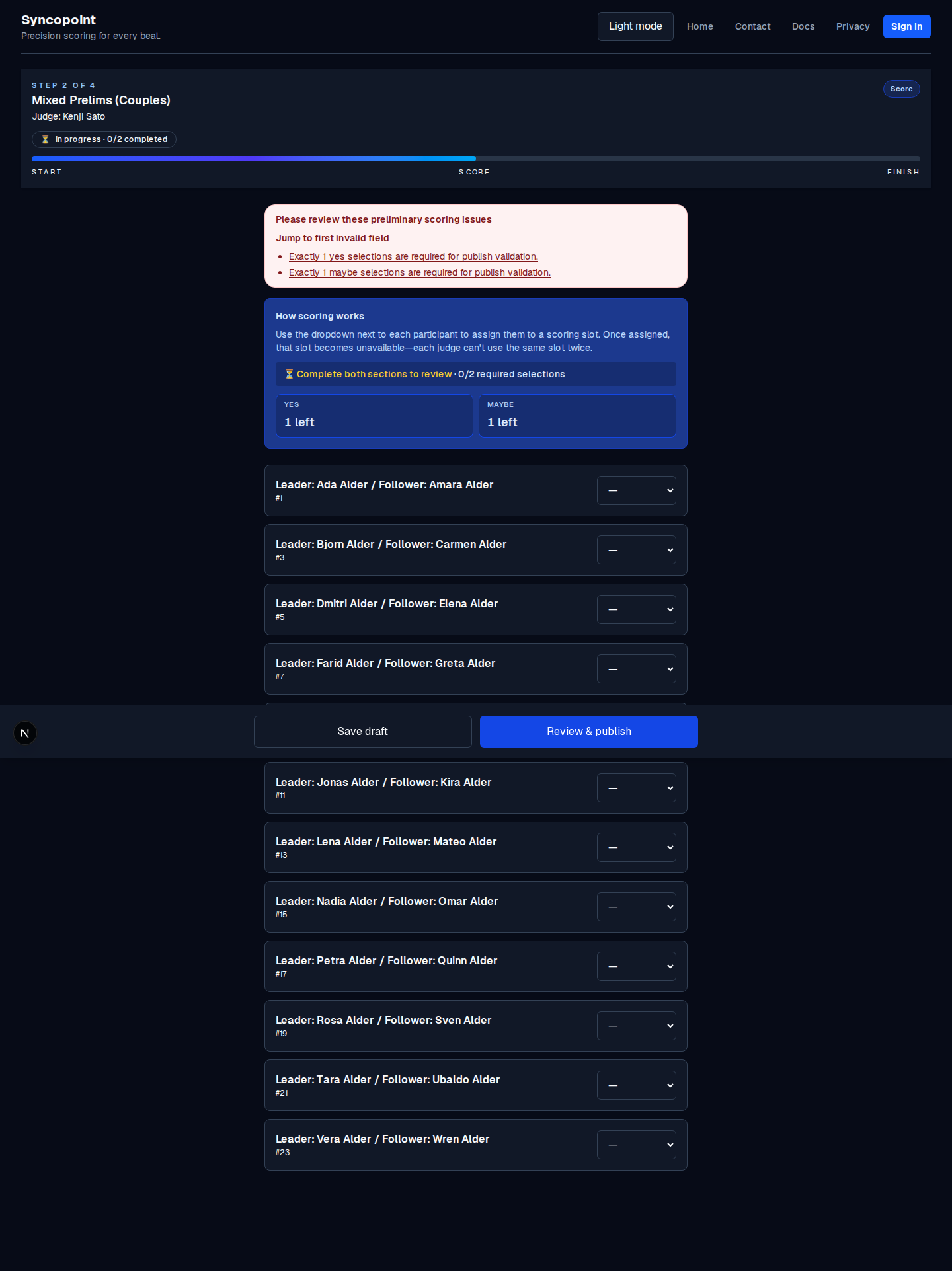
Please review these preliminary scoring issues / ... final ranking issues
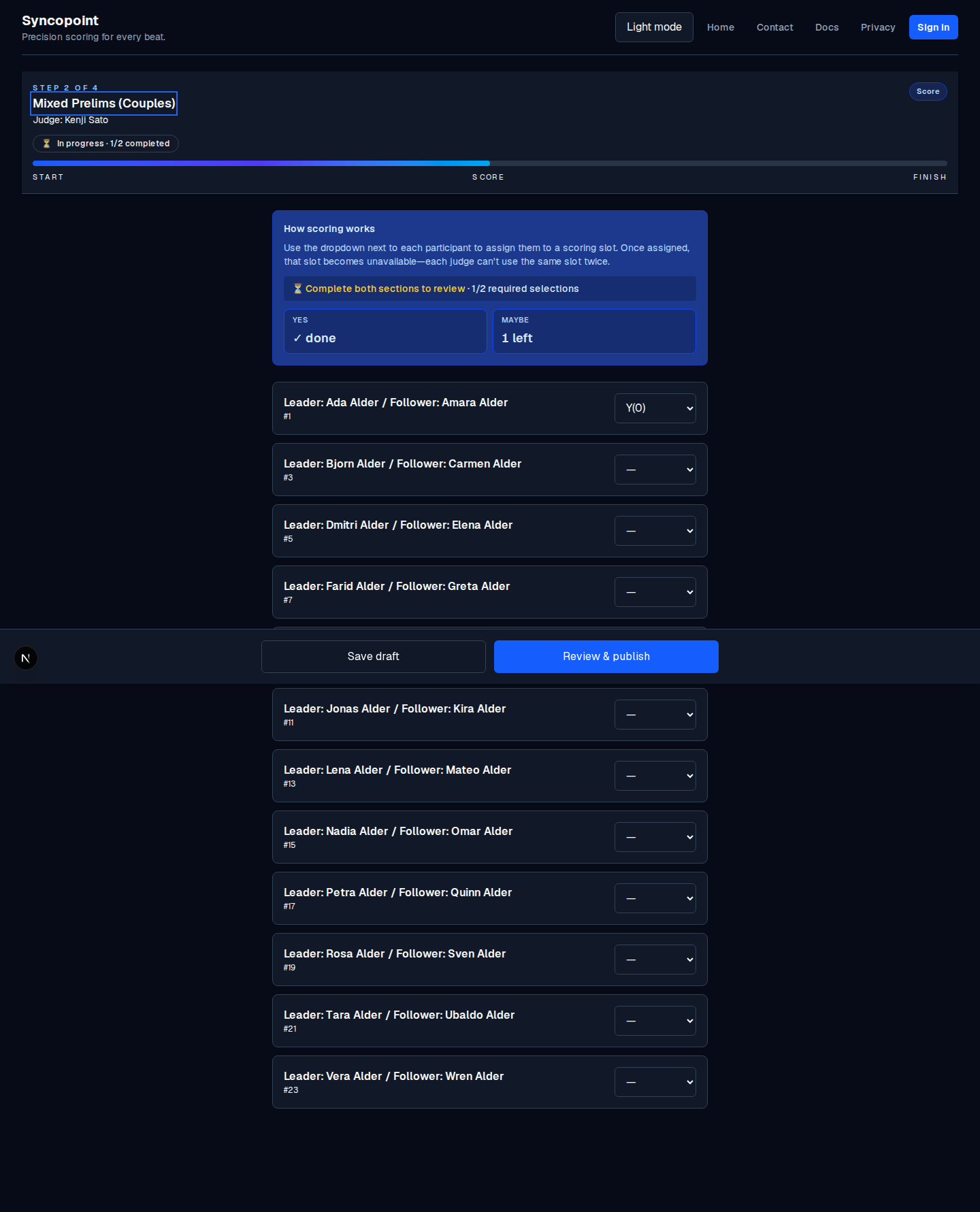
- Cause: the form is in an invalid state when the judge taps Review & publish. For example, a required vote is missing, or a cap was exceeded.
- Fix: read the specific issue in the list (it names the field and the problem), fix it, then tap Review & publish again.
- A common one: Each judge may only record up to N yes vote(s). Remove one yes and the form becomes valid.
Validation failed / Network error. Please check your connection.
- Cause: the submit step could not reach the server (a momentary network drop, or the phone went to sleep mid-submit).
- Fix: the judge checks their connection and taps Review & publish again. The draft is still intact.
The judge clicked Publish twice (double submission)
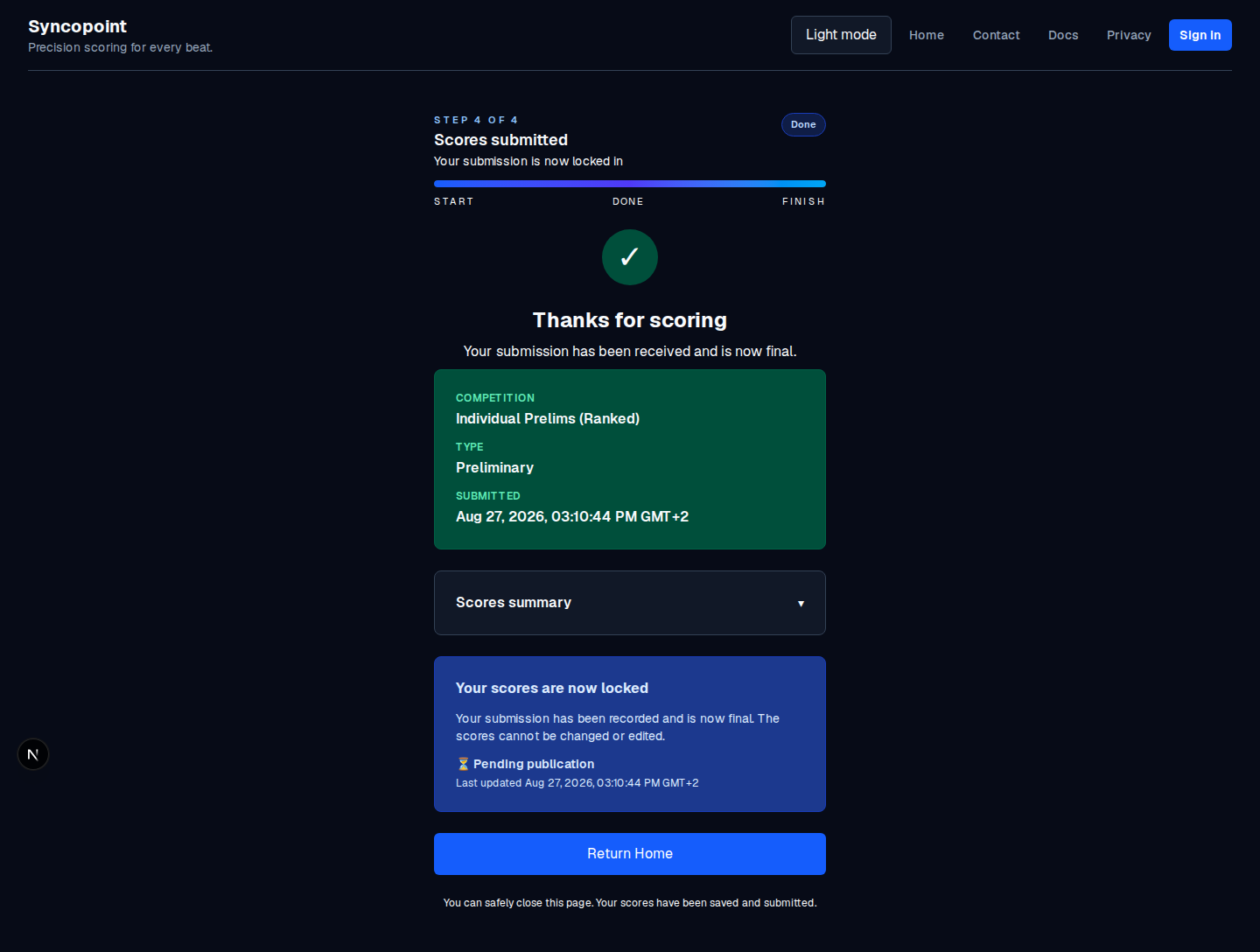
The app refuses the second submission; the submission is single-use. The judge sees the success page the first time and an already submitted state the second. Nothing to fix: the first submission is the valid one. See Handle incomplete judging for the "judge made a mistake" path.
The judge cannot find their QR code
- Cause: the wrong competition's PDF, or an older PDF from before a token was regenerated.
- Fix: re-send the current scoresheet PDF for this competition. Each judge has their own QR under their name.
If nothing else works
- Have the judge try a different device (the token is the same).
- Issue a fresh token for the judge and re-send the new scoresheet PDF. That is a step your account administrator can do.
- If it persists across all judges, the scoresheet PDF itself may be stale; regenerate it on the competition page.