Run Finals
Set up the final competition, get the finalist list in, and prepare the final for the judges.
The final is where the finalists dance for the top spots. Unlike a prelim (yes/maybe votes), the final is scored by explicit placement: every judge ranks the finalists from 1st to Nth.
Before you start
- The prelim is complete, with finalists and alternates selected (see Advance participants).
- You are the organizer for this event. You run the final, configure the field, add judges, commit the placements and Calculate yourself, and publish. Issuing a fresh judge token, for a judge who must correct a submitted score, is the one step that routes to the account administrator.
Steps
1. Create the final competition
On the event, under Competitions, create a new competition:
- Competition name: for example Individual Finals (Ranked).
- Division: match the prelim (LOWER, HIGHER, or MIXED).
- Judged as: match the prelim (Individual or Couple).
- Prelim or Final: FINAL.
2. Build the finalist list
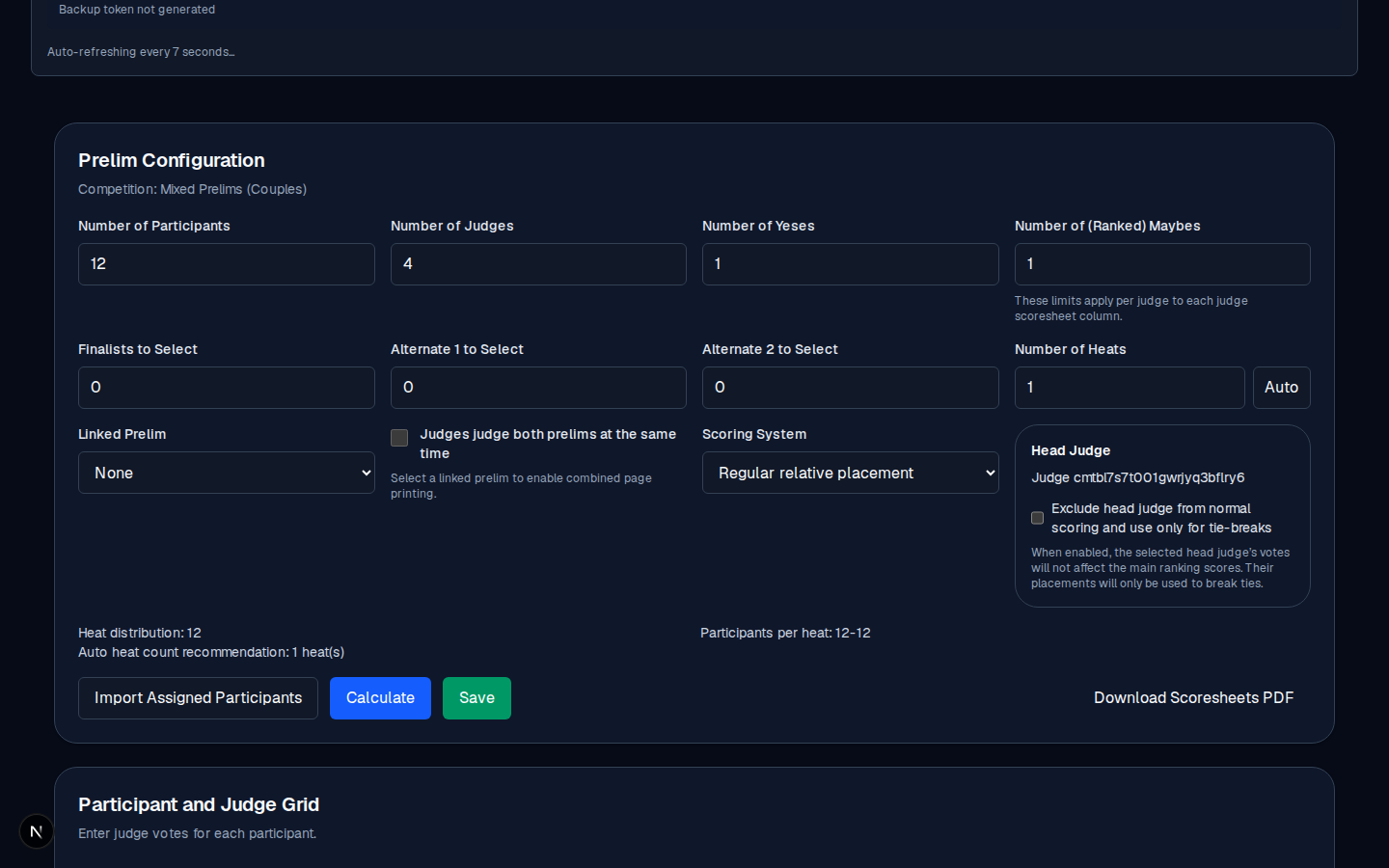
Open the final: Manage →. Set Number of Participants to the size of the final field (finalists plus any alternates you want in the field). The participant rows come from the event's participants, so confirm the right dancers are here via the event's assignments or by hand.
3. Add the final judges
Set Number of Judges and give each a name. If the final uses a head judge, set one and choose its role:
- Head judge scores are included in base calculation: the head judge's placements count like every other judge's.
- Head judge scores only used for tie-breaks: the head judge is excluded from the base ranking and only breaks ties.
4. Generate the final's scoresheet PDF
Click Download Final Scoresheet PDF. Each judge gets a personal QR code, the same as for the prelim.
5. Event day: the judges rank the field
Each judge opens their scoring page and assigns a placement (1st, 2nd, 3rd, and so on) to every finalist. The form checks for duplicate placements (two finalists at the same position is an error) before review, and every finalist must carry a placement. An incomplete ranking cannot be submitted.
6. Run the ranking and publish
When every judge has submitted:
- Click Calculate in the final's editor. You commit it yourself. The ranking then appears in Final Results: rank, total points, average, and (where a tie was broken) the tie-break detail.
- You publish the final results, which you do yourself.
See Final scoring explained for how the ranking and tie-breaks work, and View results for what the public sees.
Common mistakes
- Ranking the whole prelim field. The final field is the finalists (and alternates), not everyone who made it through the prelim.
- A judge leaves a finalist unranked. The form blocks submission until every finalist has a placement. If a judge truly cannot rank someone, fix the field first (for example, remove the alternate) and then let the judge score again.
- Publishing with incomplete judges. Unlike a prelim, the final expects a complete judge set. Either wait for everyone to submit, or knowingly publish a partial result.